Privacy · 6 min read
How to blur private information in a screenshot before you post it
The short answer: the safest way to hide something in a screenshot is to take it out: crop it away, or cover it with a solid box, and save a new flat image. If you blur instead, blur hard enough that the detail is destroyed, not just softened. Light pixelation of text has been reversed by security researchers, and some phone and PC editors have leaked the parts people cropped out. For passwords, API keys and card numbers, don’t rely on any blur: crop them out or retake the screenshot without them.
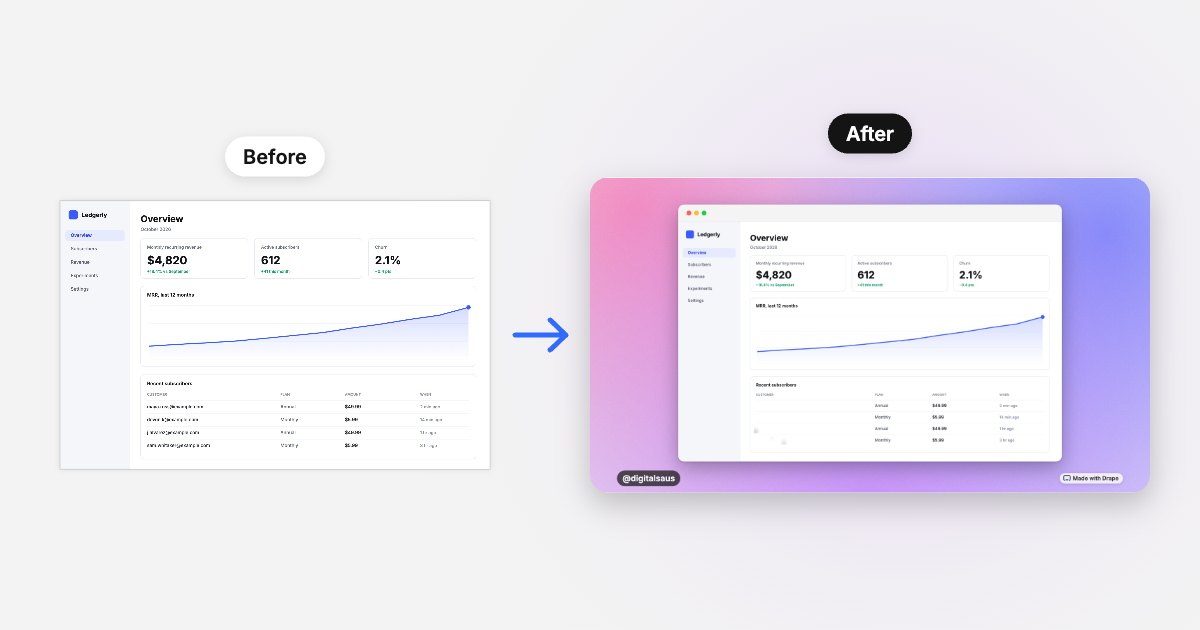
We make Drape, a free screenshot tool with a blur, so it appears below. The research and bugs described here are linked to their sources at the end, checked on October 25, 2026.
Which ways of hiding text in a screenshot are safe?
| Method | Safe? | Why |
|---|---|---|
| Crop it out, then save a new image | Safest | The pixels aren’t in the file at all, as long as your editor saves a clean copy (see aCropalypse below). |
| Solid, fully opaque box | Safe | Every pixel underneath is replaced. This is what security researchers recommend for text. |
| Heavy blur that removes the detail | Fine for names, emails and amounts | Once a region is reduced to a few pixels, the letters are gone. Still, for secrets like passwords, crop instead. |
| Light pixelation or a gentle blur | Not safe for text | Small blocks keep enough of each letter’s shape for a computer to match it against a known font. |
| Semi-transparent marker or highlighter | Not safe | Strokes that aren’t fully opaque can often be read through by brightening the image. |
| A shape layered on top in a design app or PDF | Only if flattened | If the layer survives in the file you share, it can simply be moved or deleted. |
Why pixelation isn’t enough for text
In 2022, Dan Petro at the security firm Bishop Fox released Unredacter, an open-source tool that reconstructed pixelated text by trying candidate letters in the same font and size, pixelating each guess, and comparing the result with the redacted image. His advice afterwards was blunt: “use black bars covering the whole text.” The attack works best when the font is known and the pixel blocks are small, which describes most screenshots of apps and dashboards.
The lesson isn’t that every blur can be undone. It’s that a light mosaic leaves information behind. The more of each letter that survives, the more a computer can work with.
When cropping leaked: aCropalypse
In early 2023, researchers Simon Aarons and David Buchanan found that the Markup screenshot editor on Google Pixel phones saved cropped and edited images over the original file without removing the old data, so parts of the “cropped” screenshot could be recovered. The bug, named aCropalypse (CVE-2023-21036), was fixed by Google. A similar flaw (CVE-2023-28303) turned up in Windows: Snip & Sketch on Windows 10 and Snipping Tool on Windows 11, which Microsoft also patched.
Both bugs are fixed, so the practical lesson is simple: keep your phone and editing apps updated, and when something truly sensitive was on screen, prefer a fresh screenshot that never contained it.
How to blur a screenshot on your phone with Drape
- Open Drape in your phone’s browser and tap Choose screenshot, or copy a screenshot and tap Paste.
- Turn on Blur and drag a box over each private detail: email addresses, customer names, exact amounts, order numbers.
- Tap a box to remove it, or use Undo. The dashed outlines only show while you edit; they aren’t in the saved image.
- Check the preview, then tap Copy image and paste it into your post, or Share to save it to Photos.
Drape’s blur shrinks each box to a few pixels and scales it back up, then saves one flat PNG. There are no layers to peel off, and the original pixels in those boxes aren’t in the saved file. It all happens in your browser: the screenshot is never uploaded. For anything that would cause real harm if guessed, like a password or an API key, crop it out or retake the screenshot instead.
A checklist before you post a screenshot
- People: email addresses, names, avatars and usernames in tables, sidebars and comments.
- Money: exact amounts you’d rather round, invoice and order numbers.
- Secrets: API keys, tokens and passwords, including inside URLs and terminal output. Crop these out.
- The edges: notification banners at the top, other browser tabs, bookmarks, the time and battery if they give something away.
- The file: share a fresh, flat image rather than the original. Drape draws a new PNG, so nothing from the original file’s metadata comes along.
Questions
Can blurred text in a screenshot be unblurred?
Sometimes. A light blur or small pixel blocks can leave enough of each letter for software to guess the text, especially in a known font. A heavy blur that reduces the area to a few pixels removes the detail. For anything secret, a solid box or cropping is the only way to be sure.
Is pixelation safe for hiding passwords or API keys?
No. Security researchers have reconstructed pixelated text, and their advice is to cover text with solid bars instead. Better still, crop secrets out or retake the screenshot without them.
Does cropping a screenshot remove what was cut off?
It should, and current versions of the built-in editors do. In 2023 the aCropalypse bugs in Google Pixel’s Markup and Windows’ snipping tools left cropped areas recoverable; both were fixed. Keep your apps updated, and for sensitive material take a new screenshot that never contained it.
Does Drape upload my screenshot to blur it?
No. Drape runs in your browser and has no server to send images to. The blur is drawn into the image on your device, and the saved file is the only copy.
Sources
Ask AI about this guide
Opens your assistant with a question about this page, answered from it.